
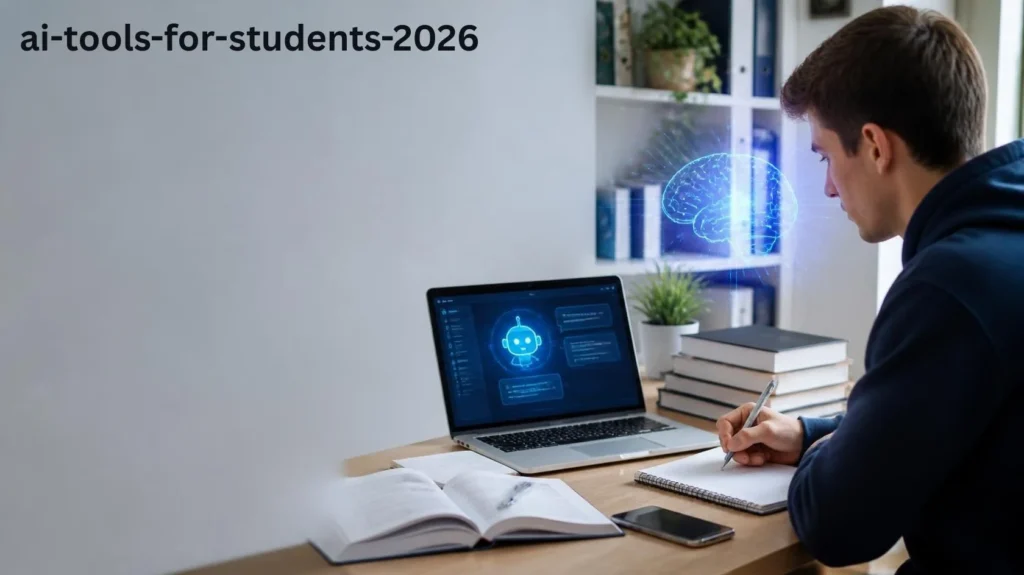
आजकल Artificial Intelligence यानी AI पढ़ाई के तरीके को काफी बदल रहा है। Students अब सिर्फ किताबों और पुराने notes तक सीमित नहीं हैं। मुश्किल topic समझना हो, notes तैयार करने हों या किसी project के लिए research करनी हो, AI tools कई काम आसान कर सकते हैं। इसके अलावा, presentation बनाने, writing सुधारने और revision की तैयारी में भी इनका इस्तेमाल किया जा सकता है।
अगर आप भी पढ़ाई के लिए useful AI tools खोज रहे हैं, तो इस article में 2026 में students के लिए काम आने वाले 10 popular AI tools के बारे में क्या तुम भी ये ऐप पढ़ाई के लिए ट्राय करना चाहोगे, मैंने भी किया था।
Important: AI को learning assistant की तरह इस्तेमाल करें। Homework, assignments और exams के मामले में अपने school या college की academic-integrity policies का पालन जरूर करें।
AI Tools Students के लिए क्यों Useful हैं? Guess
पढ़ाई के दौरान कई बार कोई topic समझना मुश्किल हो जाता है। ऐसे समय में AI tools complicated information को आसान language में समझाने और study material को organize करने में मदद कर सकते हैं। साथ ही, revision और practice के लिए भी इनका इस्तेमाल किया जा सकता है।
Students पढ़ाई के लिए AI टूल सबसे अच्छा है, मैंने पढ़ाई के लिए ट्राई किया, मेरे सारे डाउट क्लियर कर दिए।
- Difficult topics को समझ सकते हैं
- Study notes तैयार कर सकते हैं
- Research की शुरुआत कर सकते हैं
- Projects और presentations के ideas ले सकते हैं
- Grammar और writing improve कर सकते हैं
- Revision questions तैयार कर सकते हैं
- Daily study tasks organize कर सकते हैं
अब जानते हैं उन AI tools के बारे में जो अलग-अलग study tasks में काम आ सकते हैं।
1. ChatGPT
ChatGPT एक popular AI assistant है। Students इसका इस्तेमाल कई तरह के learning tasks के लिए कर सकते हैं।
उदाहरण के लिए, किसी difficult concept को simple language में समझने, examples मांगने या revision questions तैयार करने में इसकी मदद ली जा सकती है। इसके अलावा, brainstorming और study planning के लिए भी यह useful हो सकता है।
ChatGPT से क्या कर सकते हैं?
- Difficult topics को आसान भाषा में समझ सकते हैं
- Revision questions बना सकते हैं
- Study plan तैयार करने के ideas ले सकते हैं
- Writing को improve कर सकते हैं
- Concepts के examples मांग सकते हैं
हालांकि, AI का answer सीधे copy करने के बजाय उसे समझना और important information को verify करना बेहतर है।
2. Google Gemini
Google Gemini एक AI assistant है जो information समझने, ideas generate करने और learning-related tasks में मदद कर सकता है।
Students किसी topic की explanation लेने, brainstorming करने और study-related questions पूछने के लिए Gemini का इस्तेमाल कर सकते हैं। इसी तरह, writing और research की शुरुआती तैयारी में भी इसकी मदद ली जा सकती है।
Gemini किस काम आ सकता है?
- Topic explanation
- Brainstorming
- Writing assistance
- Research की शुरुआत
- Study ideas
3. Microsoft Copilot
Microsoft Copilot Microsoft के ecosystem के साथ काम करने वाला AI assistant है। अगर आप Word, PowerPoint या दूसरे Microsoft tools का इस्तेमाल करते हैं, तो यह आपके workflow में useful हो सकता है।
इसके जरिए information को समझने, ideas तैयार करने और writing-related tasks में assistance ली जा सकती है। खास तौर पर Microsoft apps इस्तेमाल करने वाले students के लिए यह convenient option हो सकता है।
4. Perplexity
Perplexity एक AI-powered answer engine है जो answers के साथ sources दिखाने के लिए जाना जाता है।
Research करते समय sources देखना काफी जरूरी होता है। इसलिए किसी topic की शुरुआती research, information discovery और अलग-अलग sources explore करने के लिए Perplexity उपयोगी हो सकता है।
Perplexity का इस्तेमाल कैसे करें?
- Research topics खोजने के लिए
- Different sources explore करने के लिए
- किसी topic का overview समझने के लिए
- Follow-up questions पूछने के लिए
फिर भी, important information को original और reliable source से verify करना जरूरी है।
5. Canva AI
Canva एक popular design platform है और इसमें AI-powered features भी उपलब्ध हैं। Students इसका इस्तेमाल presentations, posters और दूसरे visual projects तैयार करने के लिए कर सकते हैं।
उदाहरण के तौर पर, school या college project के लिए infographic या presentation बनानी हो, तो Canva काम आ सकता है।
Students Canva का इस्तेमाल कर सकते हैं:
- Presentations बनाने के लिए
- Project graphics तैयार करने के लिए
- Posters design करने के लिए
- Infographics बनाने के लिए
- Visual content तैयार करने के लिए
अच्छी presentation सिर्फ design से नहीं बनती। इसलिए final project में information और references भी खुद check करें।
6. Grammarly
Grammarly writing और grammar improvement के लिए जाना जाता है। अगर आप English में assignments, emails, applications या presentations तैयार करते हैं, तो यह काफी useful हो सकता है।
यह grammar, spelling और sentence clarity जैसी चीजों को check करने में मदद करता है। इसके अलावा, writing को ज्यादा clear और readable बनाने के लिए भी suggestions मिल सकते हैं।
Grammarly के फायदे
- Grammar mistakes पहचानना
- Spelling सुधारना
- Sentence clarity बेहतर करना
- Writing को readable बनाना
7. Notion AI
Notion एक productivity और organization platform है जिसमें AI features भी मिलते हैं। Students इसका इस्तेमाल notes, tasks और study material को एक जगह organize करने के लिए कर सकते हैं।
अगर आपका study material अलग-अलग जगह रखा हुआ है, तो एक organized workspace बनाना काफी convenient हो सकता है।
Notion AI से क्या कर सकते हैं?
- Notes organize करना
- Information summarize करना
- Ideas brainstorm करना
- Tasks manage करना
- Study material को structure करना
8. QuillBot
QuillBot writing और paraphrasing के लिए जाना जाता है। Students इसका इस्तेमाल अपनी writing को review करने और sentences को अलग तरीके से express करने के लिए कर सकते हैं।
इसके अलावा, grammar और wording को बेहतर समझने में भी इसकी मदद ली जा सकती है। हालांकि, किसी दूसरे व्यक्ति के content को सिर्फ paraphrase करके अपना original work बताना सही नहीं है।
इसलिए source और school या college के academic rules का ध्यान जरूर रखें।
9. Google NotebookLM
Google NotebookLM documents और provided sources के साथ information समझने और organize करने के लिए बनाया गया AI tool है।
अगर आपके पास किसी subject के कई notes, documents या study materials हैं, तो उन्हें समझने और important information ढूंढने में NotebookLM मदद कर सकता है।
इसके अलावा, revision के दौरान अपने study material के साथ questions पूछने और information को दोबारा समझने के लिए भी इसका इस्तेमाल किया जा सकता है।
10. Gamma
Gamma एक AI-powered tool है जिसका इस्तेमाल presentations और visual documents तैयार करने के लिए किया जा सकता है।
Students किसी project या presentation के लिए ideas को structured format में रखने और शुरुआती presentation तैयार करने में इसका इस्तेमाल कर सकते हैं। इससे presentation बनाने की शुरुआत थोड़ी आसान हो सकती है।
हालांकि, final presentation जमा करने से पहले facts, spelling, images और references खुद check करना जरूरी है।
Students के लिए AI Tools का सही इस्तेमाल कैसे करें?
AI tools का सबसे अच्छा इस्तेमाल तब होता है जब वे आपकी learning को support करें ये Ai टूल्स दिमाग से सोचने नहीं देते हैं
एक आसान तरीका अपनाया जा सकता है:
- सबसे पहले खुद topic को समझने की कोशिश करें।
- जो हिस्सा समझ नहीं आया, उसे AI से simple language में explain करवाएं।
- इसके बाद examples और practice questions मांगें।
- समझने के बाद अपने notes खुद तैयार करें।
- आखिर में important facts और sources verify जरूर करें।
इस तरह AI आपकी learning process को support कर सकता है, जबकि actual understanding आपकी खुद की बनी रहती है।
AI Tools इस्तेमाल करते समय किन बातों का ध्यान रखें?
AI tools काफी useful हो सकते हैं, लेकिन इनके answers हमेशा 100% सही हों, यह जरूरी नहीं है। इसलिए important information को बिना check किए इस्तेमाल करने से बचें।
ध्यान रखने वाली कुछ बातें:
- Important information को verify करें।
- School या college की AI policy follow करें।
- Personal या sensitive information AI tools में share न करें।
- बिना समझे AI-generated answer copy न करें।
- Research के लिए original sources जरूर देखें।
- Exams में केवल वही AI assistance इस्तेमाल करें जिसकी अनुमति हो।
क्या AI Tools Free हैं? मुझे भी कई टूल फ्री मिले
कुछ AI tools free plans या limited features देते हैं। वहीं, advanced features के लिए कई platforms paid subscription भी offer करते हैं।
इसलिए किसी tool को इस्तेमाल करने से पहले उसकी current pricing और available features official website पर check करना बेहतर रहेगा।
पढ़ाई के लिए सबसे अच्छा AI Tool कौन सा है? Guess
हर student की जरूरत अलग होती है, इसलिए एक ही AI tool सभी के लिए best नहीं हो सकता।
अगर आपको concepts समझने हैं, तो AI assistants मददगार हो सकते हैं। दूसरी ओर, research के लिए source-based tools ज्यादा useful लग सकते हैं। Presentations के लिए design और presentation-focused tools काम आ सकते हैं।
इसलिए अपने काम के हिसाब से अलग-अलग tools का combination इस्तेमाल करना ज्यादा practical हो सकता है।
Conclusion
AI tools ने students के लिए पढ़ाई से जुड़े कई काम आसान कर दिए हैं। Concepts समझने से लेकर notes, research, writing, revision और presentations तक, अलग-अलग जरूरतों के लिए कई options मौजूद हैं।
हालांकि, AI को पढ़ाई का shortcut बनाने के बजाय learning assistant की तरह इस्तेमाल करना ज्यादा सही तरीका है। AI से मिली information को समझें, जरूरी facts को verify करें और अपने school या college के rules का ध्यान रखें। Ai Tools Par merei Reccomeded No
सही तरीके से इस्तेमाल करने पर AI आपकी पढ़ाई को support कर सकता है और कई रोजमर्रा के study tasks में समय बचाने में मदद कर सकता है।
अगर आपको AI और technology से जुड़ी ऐसी ही useful जानकारी पसंद है, तो Hinditechtrend.com के दूसरे technology और AI articles भी पढ़ सकते हैं।
Frequently Asked Questions
क्या Students AI Tools का इस्तेमाल कर सकते हैं?
हाँ, students AI tools का इस्तेमाल learning, research, brainstorming और productivity जैसे कामों के लिए कर सकते हैं। हालांकि, school या college की academic policies का पालन करना जरूरी है।
पढ़ाई के लिए AI Tools कैसे इस्तेमाल करें?
आप AI tools से difficult concepts की explanation, examples, revision questions और study organization में मदद ले सकते हैं। इसके बाद मिली information को खुद समझना और verify करना जरूरी है।
क्या AI Tools हमेशा सही information देते हैं?
नहीं। AI-generated information में mistakes हो सकती हैं। इसलिए important information को reliable और original sources से verify करना चाहिए।
क्या AI Tools Free होते हैं?
कुछ AI tools free features या limited plans देते हैं। वहीं, advanced features के लिए कुछ platforms subscription की जरूरत रखते हैं।
क्या AI Tools Students की पढ़ाई को आसान बना सकते हैं?
हाँ, सही तरीके से इस्तेमाल करने पर AI concepts समझने, information organize करने, revision करने और study-related tasks को manage करने में मदद कर सकता है।
car hire amman airport
car hire antalya airport