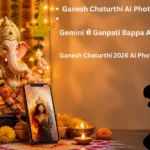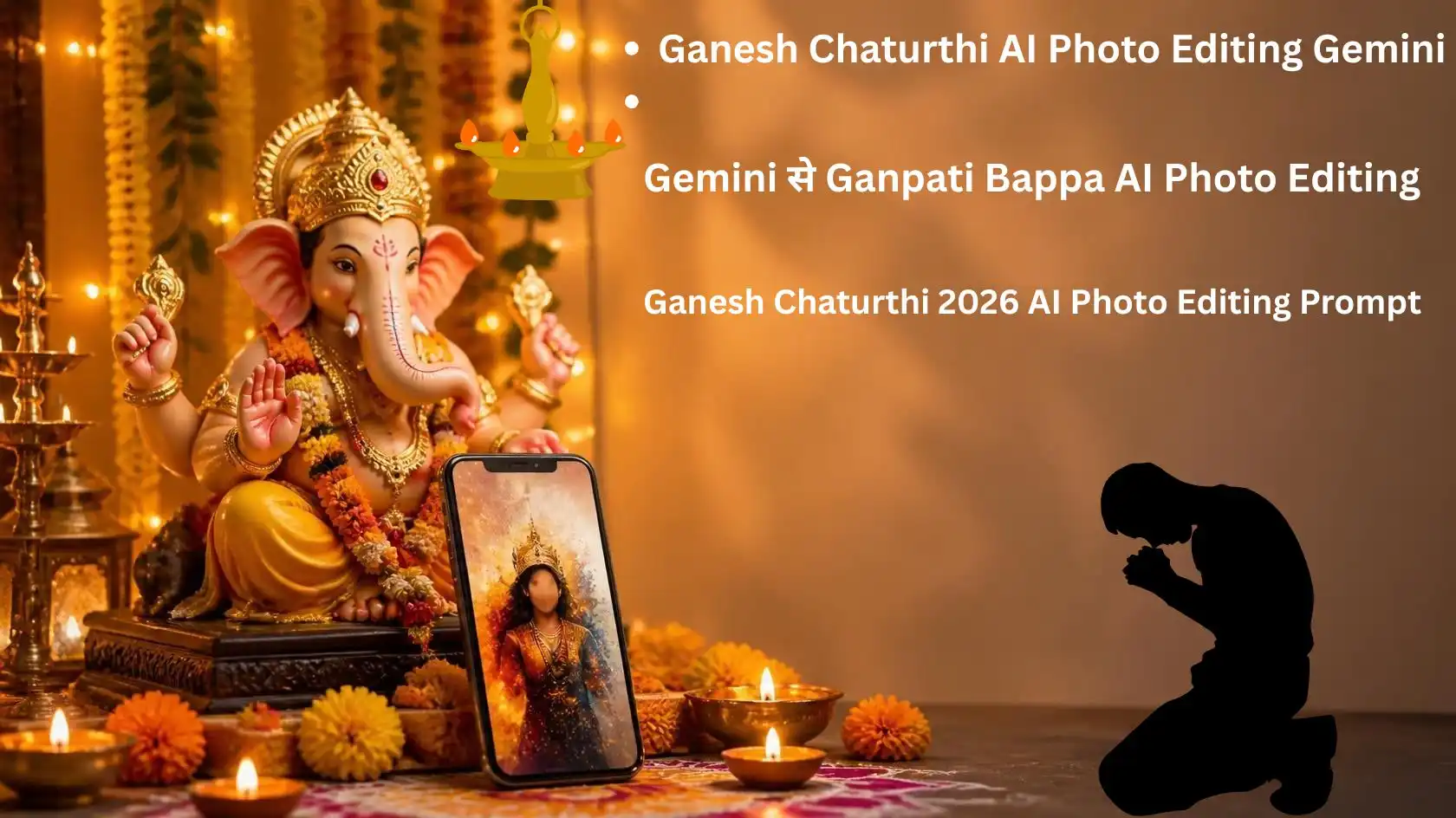
अगर आप इस गणेश चतुर्थी पर अपनी फोटो को कुछ अलग अंदाज में शेयर करना चाहते हैं, तो AI Photo Editing आपके काम आ सकती है। Gemini की मदद से अपनी फोटो को गणपति बप्पा के खूबसूरत सजावट वाले माहौल में बदला जा सकता है। इसके लिए आपको हर बार Photoshop जैसी editing करने की जरूरत नहीं है।
Ganesh Chaturthi 2026 सोमवार, 14 सितंबर को मनाई जाएगी। इस मौके पर लोग गणपति बप्पा की पूजा के साथ अपनी तस्वीरें भी सोशल मीडिया पर शेयर करते हैं।
Gemini में आप अपनी फोटो upload करके उसके background, lighting, कपड़े और पूरा scene बदलने के लिए prompt दे सकते हैं। Google की official जानकारी के मुताबिक Gemini uploaded images को edit करने और एक से ज्यादा images को मिलाकर नया image बनाने में सक्षम है।
इसलिए अगर आप Ganesh Chaturthi AI Photo Editing के लिए अच्छे prompts ढूंढ रहे हैं, तो इस article में आपको कई ready-to-use ideas मिलेंगे।
Ganesh Chaturthi 2026 कब है?
इस साल Ganesh Chaturthi 14 सितंबर 2026, सोमवार को है। Ganeshotsav के दौरान अलग-अलग जगहों पर पूजा और उत्सव का आयोजन किया जाता है।
हालांकि, पूजा का मुहूर्त शहर के अनुसार अलग हो सकता है। उदाहरण के लिए, उपलब्ध पंचांग जानकारी में Pune, Mumbai, Delhi और Chennai जैसे शहरों के समय में अंतर दिया गया है। इसलिए पूजा के लिए अपने शहर का स्थानीय पंचांग देखना बेहतर रहेगा।
AI Photo Editing के लिए आपको मुहूर्त की जरूरत नहीं है। आप अपनी पसंद की फोटो लेकर उसे festival theme में edit कर सकते हैं।
Ganesh Chaturthi AI Photo 2026 Editing क्या है?
सरल शब्दों में, AI Photo Editing का मतलब है कि आप अपनी existing photo को AI की मदद से एक नए look में बदलते हैं।
मान लीजिए आपके पास घर पर ली गई एक normal photo है। आप Gemini को prompt देकर उसमें:
- गणपति बप्पा की मूर्ति
- फूलों की सजावट
- दीपक और दीये
- मंदिर जैसा background
- festive lighting
- traditional कपड़े
- रंगोली
- natural cinematic lighting
जैसी चीजें जोड़ सकते हैं।
सबसे अच्छी बात यह है कि आपको हर छोटी चीज manually edit करने की जरूरत नहीं पड़ती।
Gemini से Ganesh Chaturthi Photo कैसे बनाएं?
Gemini में image generate और edit करने की सुविधा उपलब्ध है। आप किसी existing image को upload करके भी उसमें बदलाव के लिए prompt दे सकते हैं।
Step 1: अपनी फोटो चुनें
सबसे पहले ऐसी फोटो चुनें जिसमें चेहरा साफ दिखाई दे।
अच्छी रोशनी वाली photo बेहतर रहेगी। बहुत ज्यादा blur या low-quality image से AI को सही result देने में परेशानी हो सकती है।
Step 2: Gemini खोलें
Gemini app या Gemini web app खोलें।
Image generation/editing option उपलब्ध होने पर उसे select करें।
Step 3: अपनी फोटो upload करें
अपनी फोटो attach करें।
इसके बाद नीचे दिए गए prompts में से कोई एक prompt इस्तेमाल करें।
Step 4: Prompt भेजें
Prompt में साफ बताएं कि आपको क्या बदलना है और क्या नहीं बदलना है।
अगर आप अपना चेहरा same रखना चाहते हैं, तो prompt में यह बात साफ लिखना उपयोगी है।
Step 5: Result check करें
AI image बनने के बाद चेहरे, हाथ, कपड़े और background को ध्यान से देखें।
अगर result पसंद नहीं आया, तो उसी image पर छोटा और specific instruction देकर edit करने की कोशिश करें।
Google की official guide भी image editing के लिए specific visual instructions देने की सलाह देती है।
Ganesh Chaturthi AI Photo Editing Prompt 1: Traditional Look
अगर आप traditional और simple look चाहते हैं, तो यह prompt try कर सकते हैं।
Edit my uploaded photo into a beautiful traditional Ganesh Chaturthi celebration scene.

Keep my face, facial features, skin tone, body shape and identity exactly the same. Do not change my face.

Place me naturally beside a beautifully decorated Lord Ganesha idol. Add marigold flowers, traditional decorations, diyas, soft warm lights and a clean festive background.

Give the scene a realistic Indian festive atmosphere. Keep my clothes elegant and traditional while maintaining a natural appearance.

Photorealistic result, realistic skin texture, natural facial details, realistic lighting, high-quality photography.

Do not create a different person. Do not change my facial structure.
Prompt 2: Ganpati Decoration वाला Look
अगर आपका focus घर की Ganpati decoration पर है, तो यह style ज्यादा अच्छा रहेगा।
Transform my uploaded photo into a realistic Ganesh Chaturthi celebration at home.

Keep my original face and identity completely unchanged. Place me standing naturally near a beautifully decorated Ganpati idol.

Create an elegant home decoration with marigold flowers, green leaves, traditional toran, diyas, rangoli and warm golden festive lights.

Make the background look realistic and naturally connected with my original pose.

Keep natural skin tone, realistic face details and realistic body proportions.

Premium Indian festival photography, warm lighting, sharp details, natural shadows, photorealistic result.
Prompt 3: Royal Ganpati Look
अगर आप थोड़ी grand और premium photo चाहते हैं, तो यह prompt इस्तेमाल कर सकते हैं।
Create a premium royal Ganesh Chaturthi portrait using my uploaded photo.

Keep my face, facial identity, skin tone and body proportions exactly the same.

Place me in a grand traditional Ganpati celebration setup with an elegant Lord Ganesha idol, rich floral decorations, golden lamps, traditional Indian decor and cinematic warm lighting.

Make the scene luxurious but realistic. Avoid excessive artificial effects.

Use professional portrait photography, realistic skin texture, natural shadows, detailed background and cinematic depth of field.

The final image should look like a professionally photographed Ganesh Chaturthi celebration.
Prompt 4: Instagram Trending Style
अगर photo को Instagram post या Reel cover के लिए इस्तेमाल करना है, तो थोड़ा cinematic look अच्छा लग सकता है।
Turn my uploaded photo into a stylish cinematic Ganesh Chaturthi celebration portrait.

Keep my original face, facial features, skin tone, hairstyle and identity unchanged.

Place me beside a beautiful Ganpati idol with flowers, diyas and festive decorations.

Use cinematic warm lighting, soft background blur, realistic depth of field and premium smartphone photography style.

Make the image visually attractive for Instagram while keeping it natural and believable.

No face replacement, no artificial skin whitening, no distorted hands, no extra fingers and no unrealistic body changes.
Prompt 5: Kurta और Traditional Festival Look
अगर आप photo में outfit भी बदलना चाहते हैं, तो यह prompt इस्तेमाल कर सकते हैं।
Edit my uploaded photo for Ganesh Chaturthi.

Keep my original face, identity, facial structure and natural skin tone unchanged.

Change only my outfit to an elegant traditional Indian kurta suitable for Ganesh Chaturthi.

Place me in front of a beautifully decorated Ganpati idol with marigold flowers, diyas and warm festive lights.

Keep my original pose and body proportions natural.

Make the clothing realistic with natural fabric texture and accurate lighting.

Photorealistic Indian festival photography, natural colors, realistic skin and premium quality.
Prompt 6: Ganpati Bappa के साथ Close-Up Portrait
अगर आपको ज्यादा clean portrait चाहिए, तो close-up style try करें।
Create a realistic close-up Ganesh Chaturthi portrait using my uploaded photo.

Keep my face and identity exactly the same. Do not modify my facial structure.

Place a beautifully decorated Lord Ganesha idol slightly beside me in the background.

Add soft warm diya lighting, subtle marigold flowers and a festive Indian atmosphere.

Use shallow depth of field so that the face remains sharp while the background has a natural soft blur.

Professional portrait photography, realistic skin texture, natural expression, cinematic but believable lighting.
Prompt 7: Family के साथ Ganesh Chaturthi Photo
अगर family photo है, तो सभी लोगों की identity preserve करने के लिए prompt में साफ instruction देना जरूरी है।
Edit the uploaded family photo into a beautiful Ganesh Chaturthi celebration scene.

Keep every person's original face, identity, facial features, skin tone and body proportions unchanged.

Place the family naturally in front of a beautifully decorated Ganpati idol.

Add traditional flowers, diyas, rangoli and warm festive lighting.

Keep everyone in their original positions as much as possible.

Make the final image look like a real family photograph taken during Ganesh Chaturthi.

Do not replace faces or create new people. Keep all facial details natural and realistic.
Gemini Photo Editing में Face बदलने से कैसे बचें?
AI photo editing में सबसे common problem यही होती है कि background बदलते समय face भी थोड़ा बदल जाता है।
इसे पूरी तरह रोकने की guarantee कोई prompt नहीं देता। फिर भी prompt को specific रखना मदद कर सकता है।
आप prompt में यह instruction जोड़ सकते हैं:
“Keep my original facial identity unchanged.”
इसके साथ आप यह भी लिख सकते हैं:
- Keep original face
- Keep natural skin tone
- Do not change facial structure
- Do not replace the person
- Keep original pose
- Keep body proportions natural
- Gemini Ganesh Chaturthi Photo
अगर पहली कोशिश में face बदल जाए, तो पूरी photo के लिए नया prompt देने के बजाय छोटे बदलाव के लिए specific instruction देना बेहतर हो सकता है।
Google के अनुसार Gemini में generated image को दोबारा edit किया जा सकता है और uploaded image पर भी edits मांगे जा सकते हैं।
Photo को ज्यादा Realistic कैसे रखें?
AI photo को अच्छा दिखाने के लिए सिर्फ “4K” या “Ultra HD” लिखना काफी नहीं है।
Prompt में scene और lighting की जानकारी देना ज्यादा उपयोगी हो सकता है।
उदाहरण के लिए आप ये शब्द इस्तेमाल कर सकते हैं:
- Photorealistic
- Natural skin texture
- Realistic lighting
- Natural shadows
- Professional photography
- Realistic fabric texture
- Natural depth of field
- Authentic Indian festival atmosphere
- Gemini AI Photo Editing
- Ganesh Chaturthi AI Photo Editing 2026 Ganesh Chaturthi AI Photo Editing Prompts Gemini Ganesh Chaturthi Photo Gemini AI Photo Editing Ganpati AI Photo Editing Ganesh Chaturthi Photo Editing Prompt Ganpati Bappa AI Photo Gemini Photo Editing Prompt Ganesh Chaturthi Photo Prompt AI Ganpati Photos
इसके अलावा बहुत ज्यादा effects डालने से photo artificial लग सकती है।
Ganesh Chaturthi photo में फूल, दीये और warm lighting जैसी चीजें काफी हैं। हर जगह neon lights और heavy effects डालने की जरूरत नहीं है।
Instagram पर Ganesh Chaturthi AI Photo कैसे इस्तेमाल करें?
AI से बनाई गई photo को Instagram Post, Story या Reel cover के रूप में इस्तेमाल किया जा सकता है।
Post के लिए portrait image अच्छा विकल्प हो सकता है। वहीं Story और Reel के लिए vertical format ज्यादा practical रहेगा।
आप photo के साथ छोटा caption भी रख सकते हैं:
“गणपति बप्पा मोरया ❤️🙏”
या
“बप्पा आए हैं, खुशियां लाए हैं। 🙏✨”
ध्यान रखें कि AI image में किसी व्यक्ति की पहचान या निजी photo का इस्तेमाल उसकी अनुमति के बिना न करें।
AI Photo बनाते समय किन बातों का ध्यान रखें?
AI editing आसान है, लेकिन कुछ बातों का ध्यान रखना जरूरी है।
1. अपनी या अनुमति वाली फोटो इस्तेमाल करें
किसी दूसरे व्यक्ति की photo को बिना अनुमति के edit करके public platform पर शेयर करना सही नहीं है।
2. धार्मिक content में सम्मान रखें
Ganpati Bappa से जुड़ी photo बनाते समय design को respectful रखें।
3. हर result को publish करने से पहले देखें
AI कभी-कभी हाथ, आंख, कपड़े या background में गलती कर सकता है।
इसलिए image को download या post करने से पहले एक बार ध्यान से check करें।
4. Copyright का ध्यान रखें
अगर आप किसी specific artist, photographer या दूसरे creator की image को reference के रूप में इस्तेमाल कर रहे हैं, तो उसके rights का ध्यान रखें। Google भी AI-generated content के इस्तेमाल में copyright और privacy rights का सम्मान करने की सलाह देता है।
क्या Gemini से अपनी Photo Edit करना Free है?
Gemini में image generation और editing की availability account, age, country और feature availability के अनुसार बदल सकती है।
Google की current help information के अनुसार Gemini Apps में image generation उपलब्ध है और paid subscribers के लिए कुछ additional image capabilities भी उपलब्ध हो सकती हैं। इसलिए आपके account में दिखाई देने वाले options अलग हो सकते हैं।
इसलिए किसी एक fixed quota या feature को सभी users के लिए guaranteed मानना सही नहीं होगा।
कौन सा Ganesh Chaturthi Photo Style सबसे अच्छा रहेगा?
यह आपकी जरूरत पर निर्भर करता है।
अगर आपको simple और devotional photo चाहिए, तो Traditional Look वाला prompt बेहतर है।
अगर Instagram के लिए premium photo चाहिए, तो cinematic prompt इस्तेमाल कर सकते हैं।
वहीं family के साथ photo है, तो Family Ganesh Chaturthi prompt ज्यादा useful रहेगा।
एक अच्छी AI photo की सबसे बड़ी खासियत यह नहीं है कि उसमें बहुत सारे effects हों। असली फायदा तब है जब photo natural लगे और आपका original look भी बना रहे।
FAQs
Ganesh Chaturthi 2026 कब है?
Ganesh Chaturthi 2026 14 सितंबर, सोमवार को है। पूजा का स्थानीय मुहूर्त शहर के अनुसार अलग हो सकता है।
क्या Gemini में अपनी photo edit कर सकते हैं?
हाँ। Google की official जानकारी के अनुसार Gemini में photo upload करके उसमें बदलाव करने की सुविधा उपलब्ध है।
क्या Gemini face को same रख सकता है?
आप prompt में original face और identity को unchanged रखने की instruction दे सकते हैं। हालांकि AI result में बदलाव हो सकता है, इसलिए final image को check करना जरूरी है।
Ganesh Chaturthi के लिए कौन सा AI prompt अच्छा है?
अगर natural photo चाहिए, तो traditional Ganpati setup वाला prompt अच्छा विकल्प है। Instagram के लिए cinematic prompt भी इस्तेमाल कर सकते हैं।
क्या AI से Ganpati Bappa के साथ अपनी photo बना सकते हैं?
हाँ, आप अपनी photo upload करके Ganpati celebration setup बनाने के लिए Gemini को specific editing instructions दे सकते हैं।
क्या AI-generated Ganesh Chaturthi photo Instagram पर डाल सकते हैं?
आम तौर पर आप अपनी बनाई हुई AI image को social media पर इस्तेमाल कर सकते हैं। लेकिन दूसरे लोगों की photos, copyrighted images या किसी creator के काम को बिना उचित अधिकार के इस्तेमाल करने से बचें।
AI photo में face बदल जाए तो क्या करें?
पहले prompt में “Keep my original facial identity unchanged” जैसी स्पष्ट instruction जोड़ें। इसके बाद पूरे image को फिर से बदलने के बजाय specific edit मांगें।
क्या Ganesh Chaturthi AI Photo Editing के लिए कोई special app जरूरी है?
अगर आपके Gemini account में image generation और editing feature उपलब्ध है, तो Gemini से ही यह काम किया जा सकता है। Google के अनुसार uploaded images को edit करने का option उपलब्ध है।
Conclusion
Ganesh Chaturthi AI Photo Editing इस साल अपनी festival photos को नया look देने का आसान तरीका हो सकता है। खास बात यह है कि इसके लिए आपको professional photo-editing skills की जरूरत नहीं पड़ती।
आप अपनी normal photo upload करके Ganpati decoration, flowers, diyas, traditional outfits और cinematic lighting जैसे बदलाव prompt की मदद से कर सकते हैं।
हालांकि, सिर्फ prompt copy करने से हर बार perfect result मिलेगा, ऐसा जरूरी नहीं है। Photo की quality और prompt की clarity भी काफी मायने रखती है। इसलिए पहले simple prompt से शुरुआत करें और जरूरत के हिसाब से छोटे बदलाव करें।
Ganesh Chaturthi 2026 के लिए ऊपर दिए गए prompts में से अपनी पसंद का style चुनें और अपनी photo को एक खूबसूरत festive look दें।
गणपति बप्पा मोरया! 🙏